
Course Overview: From Spreadsheets to Power Platforms
Course Description
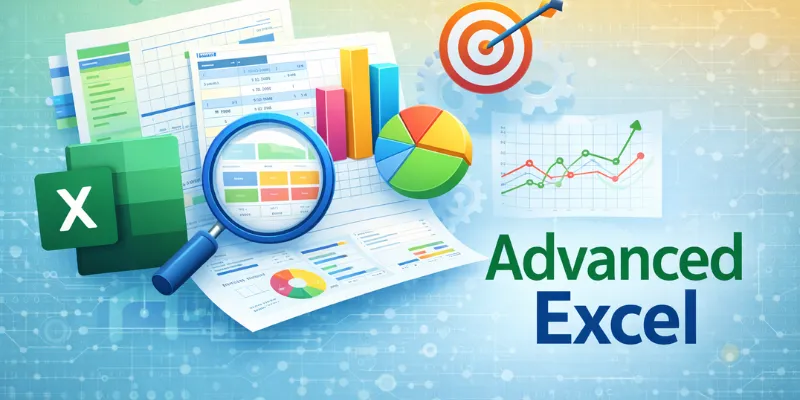
This MS Excel Course in Delhi is designed to push the boundaries of what you thought was possible with a spreadsheet. We focus on the "Three Pillars of Modern Excel": Advanced Formula Logic, Data Transformation (Power Query), and Automation (VBA/Macros). As a top-rated Excel Institute in Delhi, our curriculum is updated for 2026 to include AI-integrated Excel features, helping you work 5x faster.
What you'll learn
At HTS, we focus on Job-oriented Excel training that delivers immediate workplace value:
- Lookup Mastery: Navigating data with VLOOKUP/HLOOKUP and the superior XLOOKUP.
- Data Summarization: Building dynamic Pivot Tables and Slicers for rapid analysis.
- Modern Tools: Cleaning and transforming massive datasets with Power Query.
- Visual Storytelling: Creating professional Dashboards and advanced Data Visualization.
- Logic & Math: Mastering Advanced Formulas (Array formulas, Nested IFS, Lambda functions).
- Programming: Introduction to VBA and Macros for total Excel Automation.
Requirements
- Basic understanding of Excel fundamentals
- Comfort with navigating spreadsheets
- Laptop or PC with Microsoft Excel installed
Advanced Excel Curriculum
Our Excel Course Delhi is delivered through three intensive, project-based levels.
 Logical, Statistical, and Financial functions
- Dynamic Array functions and Named Ranges.
- Advanced Conditional Formatting for data integrity.
- Data Cleaning techniques for "messy" industrial data.
- Advanced Pivot Tables with Calculated Fields.
- Building interactive, one-page business Dashboards.
- Power Query: Merging, appending, and reshaping data.
- Macros: Recording and editing simple automation scripts.
- VBA Basics: Writing custom functions to eliminate manual repetition.
Level Up Your Career: Ready to move beyond Excel into Big Data? After mastering this course, we highly recommend exploring our Data Analytics Course or Power BI Training to further your specialized skills.
Why Choose HTS for Advanced Excel Training?
We are recognized as the Best Institute for Advanced Excel Course in Delhi because of our EEAT-aligned methodology:
- Expert Mentors Learn from senior analysts who build data models for global firms.
- Live Case Studies: Work on real-world datasets from Retail, Finance, and Healthcare.
- Flexible Learning: We offer weekend and weekday Advanced Excel Classes in Delhi.
- Affordable Fees: Transparent Advanced Excel Course Fees in Delhi with flexible payment options.
Career Opportunities After Advanced Excel Course
Completing this Advanced Excel Training in Delhi opens doors to lucrative roles in every sector:
- MIS Coordinator: Managing company-wide reporting systems.
- Financial Analyst: Building projection models and budget trackers.
- Data Operations Manager: Overseeing large-scale Data Cleaning and migration.
- Business Intelligence (BI) Analyst: Translating raw numbers into growth strategies.
| Feature | HTS Advanced Excel | Standard Computer Centers |
|---|---|---|
| Formula Depth | XLOOKUP, Lambda, Dynamic Arrays | Basic VLOOKUP only |
| Automation | Power Query & VBA Basics | No Automation Training |
| AI Integration | Excel with AI Tools | Traditional Methods Only |
| Placement | 100% Placement Assistance | No Career Support |
Advanced Excel Course Fee at HTS India, Kalkaji
The Advanced Excel course fee at HTS India is ₹11,800 for the complete program covering all three levels — Advanced Functions, Data Analytics & Dashboards, and VBA/Macro Automation. The fee includes:
- 60+ hours of hands-on training
- Practice datasets from real business scenarios
- Power Query and VBA lab sessions
- Certificate of completion from HTS India
- Placement assistance for MIS and data roles
For combined course pricing (Advanced Excel + MIS, or Advanced Excel + Power BI), contact us at 9311002620. EMI options available.
Enroll for this Course
Placement Assistance & Career Guidance
HTS India offers placement support including resume building, interview preparation, mock interviews, and job referrals.
- Resume and portfolio preparation support
- Interview question & answer sessions
- Mock interviews with expert feedback
- Career counseling and job guidance
- Job alerts and referral support
Who Can Join This Advanced Excel Course?
Our Advanced Excel Training in Delhi is ideal for:
- Finance Professionals: Needing precision in Financial Modeling and auditing.
- MIS Executives: Seeking to automate repetitive MIS Reporting tasks.
- Data Analysts: Wanting to master Data Visualization and dashboard building to complement their SQL or Python skills.
- Business Managers: Who need to build interactive Dashboards for stakeholder presentations.
Advanced Excel Training Certification
Upon successful completion of the Advanced Excel course, learners will receive a recognized training certificate from High Technologies Solutions.
 Downloadable study materials
 Lifetime access to content
 Mobile & desktop access
 Hands-on real data exercises
 Certificate of Completion
 5683+ learners trained
 60+ hours training duration
 Comprehensive Excel curriculum
 Live practical sessions
 Beginner to advanced progression